CHOOSE HOW YOU WANT TO PERFORM
Switch between usage profiles without digging through Windows menus. Neith adapts the available actions to the selected goal.
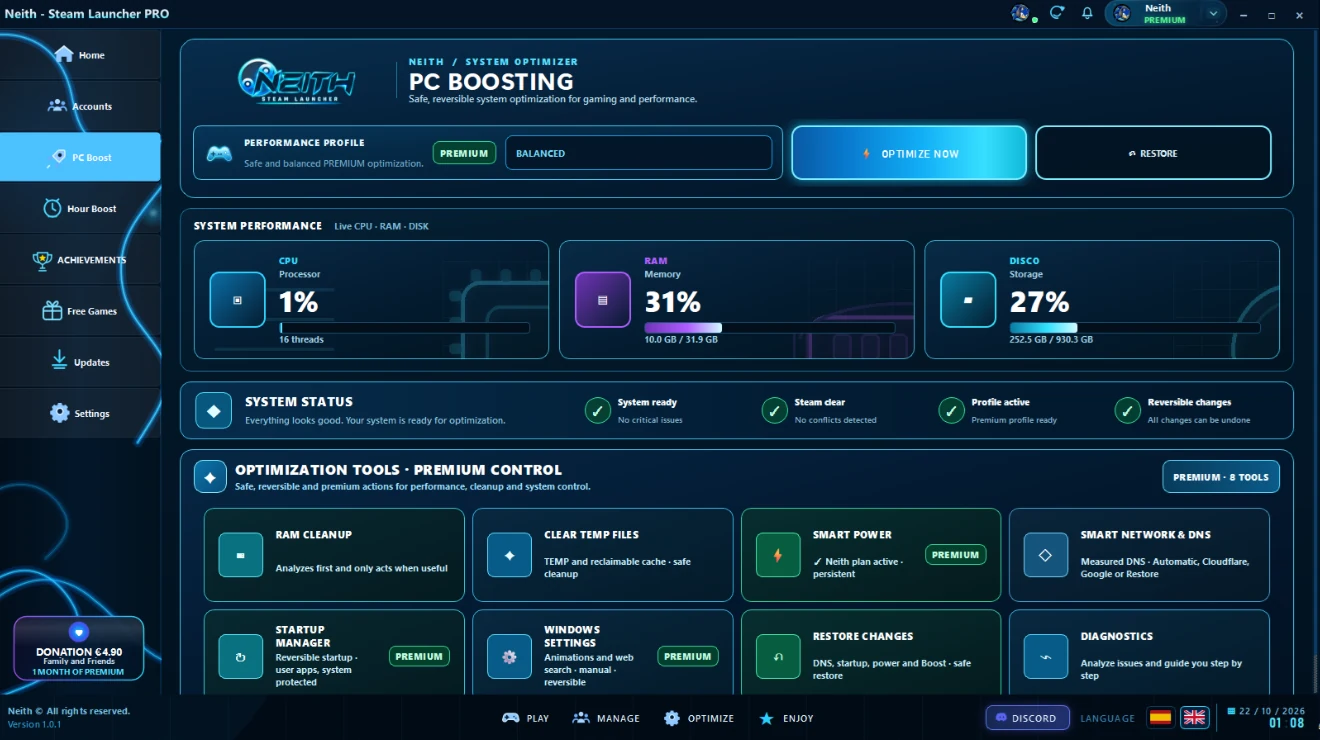
Balanced · Gaming · WorkThis is the real Boost PC view inside the launcher. Telemetry, processes, profiles and optimization tools organized from a single console.
Boost PC prepares Windows for gaming with less background load and more control. Neith analyzes the system, summarizes what matters, and lets you decide what to optimize, keep, or restore.
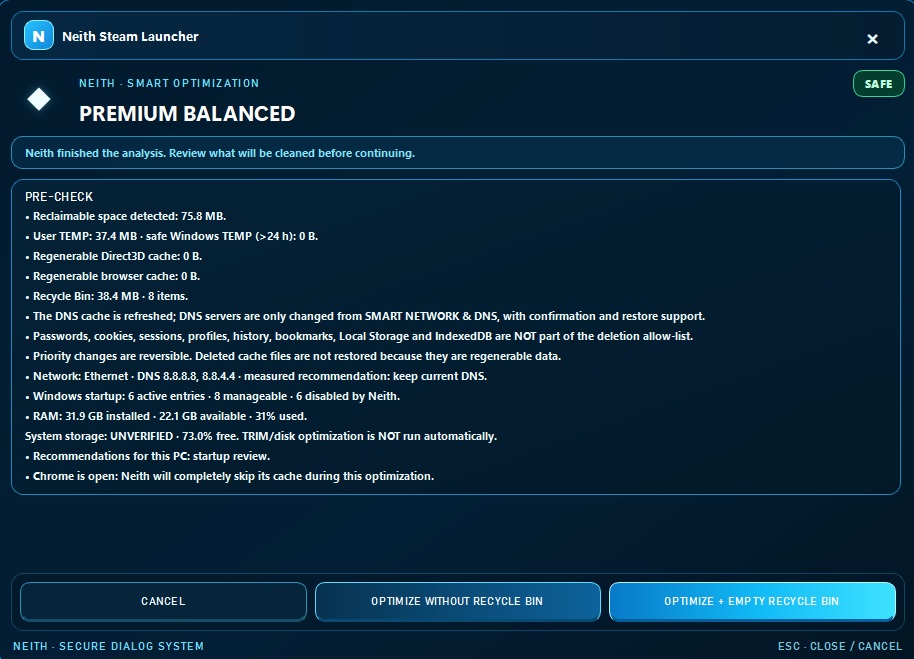
The flow is designed to be easy to understand: it analyzes first, gives you context next, and only then runs the actions you choose.
Switch between usage profiles without digging through Windows menus. Neith adapts the available actions to the selected goal.
Balanced · Gaming · WorkProcesses, memory, temporary files, startup, Steam, network and interference signals are summarized in a single view.
Clear view · No clutterOptimize Now applies the right path for the selected profile and detected system state, avoiding generic changes without context.
Guided · Controlled actionsReversible actions are logged so you can restore them when needed and stay in control.
History · RestoreMore compact, more visual, and every feature explained without filling the screen with text. Each module tells you what it does and when it makes sense to use it.
Defines the overall Boost PC behavior for each type of use.
Runs the optimization path best suited to the current profile and diagnostics.
Reverts supported settings whenever you want to return to the previous state.
Checks the system state before you make changes.
Frees recoverable resources and reduces unnecessary load in a controlled way.
Prepares the network environment and Steam-related tasks when appropriate.
Controls startup and settings that can affect everyday performance.
See what Neith detected, what was run and what deserves attention.
FREE keeps the maintenance and diagnostic tools. PREMIUM adds deeper optimization paths and advanced profiles.
Maintenance, diagnostics and basic PC preparation.
Advanced optimization, full profiles and greater system control.
More powerful actions based on the selected profile and detected state.
More tools to prepare your system before gaming.
More control over connection preparation and the Steam environment.
More context about changes and the ability to roll them back when needed.
Quick answers about how Boost PC works and the types of optimizations Neith applies.
It centralizes gaming-focused Windows profiles and optimizations, including process, memory, network and maintenance management.
The profiles are designed to apply controlled changes and let you return to a normal configuration when you finish gaming.
No. It works on top of Windows and organizes settings and optimization actions from one unified interface.
Yes. Neith provides a free core and reserves the most advanced optimizations and additional profiles for PREMIUM.
No. The interface is designed so you can choose a profile and understand what Neith is doing without configuring every setting manually.